Working from a hotel desk, printing shipping labels from a food truck, or snapping a photo and holding a physical copy in your hand an hour later. These are the small, surprisingly modern problems a portable printer solves, and the category has quietly exploded. The lineup below covers inkless thermal units that slip into a backpack, compact photo printers for creative projects, and one full home-office machine that doubles as a scanner. Each pick is sized to a specific job, so you can match the right tool to your actual routine.
A Quick View Of The Lineup

Canon SELPHY CP1300 Wireless Photo Printer

OFFNOVA Mini Sticker Printer

Gloryang JD-23 Sticker Printer
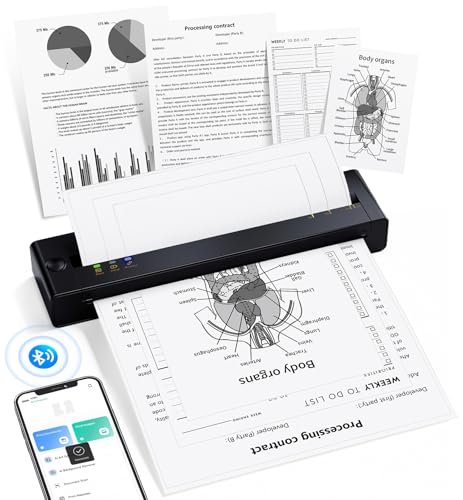
TATTMUSE A28U Portable Thermal Printer

Arrvel A8 Portable Thermal Printer
Epson EcoTank ET-2720 All-in-One

Phomemo M85 Touchscreen Portable Printer

CamScanner P1 Pro Portable Inkless Printer
The Strengths Of Each Pick
Photo printers sit in their own lane within the portable category, and the Canon SELPHY CP1300 leans fully into that lane. It uses dye-sublimation printing, a process where heat transfers color onto photo paper in layers, producing prints that feel closer to a lab result than a casual inkjet snap. For anyone running a memory-keeper project, a guestbook at a wedding, or a scrapbook with grandchildren, that print quality matters more than raw speed.
The CP1300 supports several common photo sizes, from 2.1 by 2.1 inch labels up to 4 by 6 inch postcards, so it covers the formats most crafters actually reach for. Wireless connectivity means you can send a print from a phone without tethering to a laptop. Compared to the pocket sticker units later in this list, the CP1300 is heavier and less travel-friendly, but it earns its space on a kitchen counter or craft table where finished photos need to look polished.
A Few Highlights
- Dye-sublimation output produces lab-style photo prints with smooth tonal gradients
- Multiple print sizes from 2.1 x 2.1 inch labels up to 4 x 6 inch postcards cover most creative projects
- Built-in editing tools for portrait optimization and red-eye correction reduce post-processing
- Wireless connectivity works smoothly from phones and tablets without extra drivers
Things To Consider
- Not a thermal printer, so consumable cost per print runs higher than inkless alternatives
- Heavier and bulkier than the pocket units, making it less travel-friendly
Right Fit For
Memory keepers, scrapbookers, and small-business crafters who print photos at home and want near-lab finish on a tabletop device.
Consider Something Else When
The Gloryang JD-23 fits better when you mainly want tiny stickers and journal accents rather than full-size photos.
Sticker printers take the thermal idea and shrink it to pocket scale, and the OFFNOVA Mini Sticker Printer is a textbook example. Thermal printing means heat activates a coating on special paper rather than using ink or toner, so there are no cartridges to swap and no smudged fingers. For students decorating laptops, study notes, or journals, that simplicity is the whole point.
The unit pairs over Bluetooth 5.0 (a short-range wireless standard that maintains a stable phone connection while using less battery than older versions) and works with both Android 5.0+ and iOS 11.0+ devices. Resolution sits at 300 DPI (dots per inch, a measure of print detail where higher numbers mean sharper text and images), which is plenty for headers, doodles, and black-and-white line art. It bundles one starter roll of sticker paper to get you printing right away, and the pocket-sized body slides into a backpack without taking up textbook space.
The Helpful Details
- 300 DPI output handles crisp text, simple illustrations, and decorative borders
- Bluetooth 5.0 pairing reduces dropouts and stretches battery life compared to older versions
- Inkless thermal design removes cartridge swaps and ink cleanup entirely
- One starter roll included so first prints happen within minutes of unboxing
- Pocket-friendly form factor fits alongside notebooks and pencil cases
Worth Noting
- Only black-and-white output, since thermal sticker printers cannot reproduce color
- Requires proprietary thermal sticker rolls, which can run out quickly for daily users
Made For
Students and journaling hobbyists who want to decorate notebooks, planners, and laptops with custom stickers on the go.
Look Elsewhere When
The Canon SELPHY CP1300 suits you more if you want actual color photographs rather than monochrome decorative prints.
Where the OFFNOVA leans minimal, the Gloryang JD-23 aims for crafters who want more material to work with right out of the box. Measuring roughly 3.4 by 3.5 by 1.5 inches and tipping the scales at about a third of a pound, it lives in the same pocket-sized category but ships with two rolls of sticker paper instead of one. That extra roll is a small detail that makes a real difference for anyone planning a multi-page planner spread or a long craft session.
The inkless thermal core keeps ownership simple: no cartridges, no smears, and no waiting for ink to dry. Bluetooth pairing is straightforward, and the body shape feels closer to a small mint tin than a gadget, which matters for stashing in a pencil pouch or tote. Like the OFFNOVA, output is strictly monochrome, so it is a sidekick for handwritten-feel labels and icons, not a replacement for color prints. Compared to the Canon SELPHY CP1300, the JD-23 is far more portable but a clear step down in finish and color range.
Where It Delivers
- Two included rolls of sticker paper extend the first creative session
- Sub-half-pound weight slips into totes and pencil pouches without bulk
- Inkless thermal head avoids cartridge swaps and stray ink stains
- Bluetooth pairing handles quick prints from a paired phone in seconds
Room For Improvement
- Monochrome thermal output rules out color photos or full-color sticker art
- Thermal paper rolls are a recurring purchase, and pricing varies by brand
- No color screen for previewing designs, so layout mistakes only show after printing
Best Suited To
Planner enthusiasts and DIY crafters who run through sticker rolls quickly and want a starter supply that lasts more than a weekend.
A Better Fit Elsewhere
The OFFNOVA Mini Sticker Printer is the smarter call for shoppers who only need one starter roll and want a slightly more compact body.
Moving up from pocket sticker printers to full-page mobile printers changes the conversation, and the TATTMUSE A28U targets people who need real documents on the road. The A28U supports standard 8.5 by 11 inch US Letter sheets, which means contracts, invoices, and reference pages print at actual size rather than scaled-down thermal strips. For consultants, lawyers, and remote field workers, that detail removes a layer of awkwardness when a client expects a standard page.
The thermal print head uses dual-zone heating with tight temperature locking, which the manufacturer describes as producing even print density and clean text. Inkless operation means there are no cartridges to leak in a laptop bag, and thermal paper is widely available. Compared to the Arrvel A8 covered next, the A28U leans more toward print quality than battery capacity, so it suits travelers who care about crisp text more than volume per charge. It is still a thermal unit, so photos remain out of scope.
Notable Upsides
- Standard 8.5 x 11 inch page support removes the need for resizing or scaling documents
- Dual-zone thermal head aims for even ink density and clean text lines
- Inkless design cuts out cartridge leaks and replacement ink logistics
- Wireless connection simplifies printing from phones and laptops at a hotel desk
Trade Offs
- Thermal prints are monochrome, which is fine for contracts but limiting for visual work
- Specialty thermal paper for letter-size sheets costs more than standard inkjet paper
Right Fit For
Traveling professionals who need to print full-page contracts, itineraries, or invoices from a hotel or client site.
Swap It Out When
The Arrvel A8 fits better for shoppers who print in higher volume and want a larger battery for longer stretches off-grid.
The Arrvel A8 is what happens when a portable thermal printer is built around stamina. Weighing roughly 1.37 pounds and sized just over 11 inches long, it slips into a backpack or briefcase while still supporting both US Letter and A4 paper formats. The built-in 3000mAh battery is the headline figure: the manufacturer claims up to 200 letter or A4 sheets per charge, which puts a full workday of printing within reach for most remote roles.
Compatibility spans iPhone, Android, Windows, and Mac, which removes the usual driver headaches when moving between devices. No ink, toner, or cartridges means the only consumable is thermal paper, and that simplicity is a quiet blessing for anyone tired of dried-out cartridges. Compared to the TATTMUSE A28U, the A8 trades a more refined thermal head for raw endurance, so it suits truck drivers, traveling salespeople, and home offices that print in bursts across long days.
Strengths Worth Knowing
- 3000mAh battery supports up to 200 letter or A4 sheets per charge, useful for long workdays
- US Letter and A4 compatibility covers both American and international paper standards
- Cross-platform support spans iPhone, Android, Windows, and Mac without dedicated drivers
- Inkless thermal operation removes cartridge costs and printer-head clogs
- Compact 11-inch body fits briefcases and laptop bags alongside a charger
Points To Note
- Monochrome thermal output limits use to text, forms, and simple line graphics
- Print speed is modest compared to office inkjet printers, so bulk jobs take patience
- Requires letter or A4 thermal paper, which can be pricier than standard office paper
Made For
Truck drivers, traveling salespeople, and remote workers who print full-page documents across long stretches away from an outlet.
Reach For A Different Pick When
The Phomemo M85 makes more sense for sellers who print short labels and barcodes rather than full pages.
None of the other picks in this roundup can scan or copy, and that is exactly where the Epson EcoTank ET-2720 earns its place. The EcoTank line replaces traditional ink cartridges with refillable ink tanks, so you top off the printer from ink bottles rather than swapping small plastic parts. The ET-2720 bundles a flatbed scanner and a copier, which makes it the only true all-in-one in this lineup and the most practical pick for a home office.
Wireless connectivity keeps cable clutter to a minimum, and the unit is small enough to sit on a corner of a desk without dominating the room. Color output is genuine inkjet color, not thermal monochrome, which means photos, school projects, and presentations all print in full. The honest trade-off is portability: at roughly 8 pounds, this is a “move between rooms” device rather than a backpack companion. For shoppers who need a real scanner more than they need travel-ready printing, that compromise is well worth it.
Practical Advantages
- Built-in flatbed scanner handles documents and photos in one device
- Refillable ink tanks cut recurring cartridge costs and reduce plastic waste
- Full color inkjet output covers photos, charts, and school projects
- Wireless setup works across phones, laptops, and desktops
Things To Weigh
- Heavier and larger than every other pick, so it stays in one room rather than traveling
- Refilling ink tanks takes a steady hand to avoid spills on the first few fills
- Print speed is slower than dedicated office laser printers in heavy-volume settings
Feature Snapshot
Who It Suits Best
Home offices and students who need a single device for printing, scanning, and copying homework or paperwork.
Not Your Match When
The TATTMUSE A28U fits better for shoppers who mostly print on the road and don’t need a built-in scanner.
The Phomemo M85 stands out in this lineup because of its touchscreen, and that single feature changes how a portable thermal printer feels day to day. Instead of digging through an app for every label, you can preview templates directly on the device. The M85 lets you upload templates through the companion app on first use, then print straight from the screen thereafter, which speeds up repeat jobs for small businesses running the same label all day.
The included carrying case is a quiet win, since portable printers tend to collect scratches when tossed in a bag alongside laptops and chargers. Personalized wallpapers and multi-language support round out the software side, and auto-updates keep the firmware current. It still relies on thermal paper, so color output is out of scope, but for short-form labels, barcodes, and shipping info, the M85 covers the bases with a polished interface.
Useful Strengths
- Onboard touchscreen previews templates without reopening the app each time
- Carrying case protects the unit during daily commutes and field work
- Customizable wallpapers and multi-language menus suit varied workforces
- Inkless thermal design keeps consumables limited to paper rolls
Soft Spots
- Monochrome thermal output rules out color-coded labels and photos
- Template upload is required on first use, which adds a setup step
Quick Facts
Perfect Match For
Small-business owners and field sellers who run repeat label jobs and want a polished, app-independent interface.
Skip It When
The Arrvel A8 fits better for shoppers who need full-page printing rather than short labels and tags.
The CamScanner P1 Pro lands at the end of this list, but it deserves a careful read because its software pedigree is unusual. CamScanner built its name on mobile document scanning, and the P1 Pro taps into that ecosystem with seven optimized filters tuned for contracts, receipts, tax forms, handwritten notes, photos, and similar content. Each filter adjusts clarity and contrast before the document reaches the print head, which makes a real difference on faded receipts or wrinkled pages.
At 300 DPI, the thermal output is sharp for monochrome text, and the unit supports US Letter format for full-page documents. Batch printing is a small but meaningful workflow upgrade: set the quantity once and the printer runs multiple copies without re-tapping for each page. Compared to the TATTMUSE A28U, the P1 Pro offers less hardware refinement but stronger app-side processing, so it fits shoppers who lean heavily on phone scanning before printing.
Positive Points
- Native CamScanner filters clean up faded receipts and wrinkled documents before printing
- Batch printing saves time on multi-page jobs like contracts and tax forms
- 300 DPI thermal output renders small text legibly on monochrome pages
- US Letter format supports standard contracts and reference documents
- Cross-device pairing covers iPhone, Android, laptops, and PCs
Honest Caveats
- Depends on the CamScanner app for the best results, which adds a software dependency
- Monochrome thermal output limits use to text-heavy documents
- Print speed is modest compared to desktop inkjet printers in busy offices
Who Should Grab It
Contract handlers, accountants, and field agents who scan and print documents on the go and value clean, legible output.
Where A Sibling Pick Shines
The Arrvel A8 is the stronger match for travelers who print in higher volume and prioritize battery life over software filters.
What Matters Most Before Choosing Portable Printer Scanners
The portable printer category splits into three distinct jobs, and the first decision is figuring out which job you actually have. Sticker and label printers cover creative and organizational tasks, while full-page thermal printers handle documents on the road, and traditional inkjet all-in-ones like the Epson EcoTank ET-2720 cover home-office scanning and copying needs.
Print technology is the next fork in the road. Thermal printers (units that use heat-activated paper instead of ink) trade color for simplicity, since there are no cartridges to replace and no ink to dry out. Dye-sublimation printers, like the Canon SELPHY CP1300, deliver lab-quality color photos but cost more per print. Inkjet all-in-ones reproduce color across photos and documents but weigh more and rely on refillable tanks or cartridges.
Battery life and page format matter for travelers. A unit rated for 200 letter-size pages per charge, such as the Arrvel A8, suits long workdays, while a pocket sticker printer cares more about Bluetooth range and paper-roll availability. Paper size matters too: pocket units print narrow strips for stickers, while letter and A4 support is essential for real documents.
Compatibility rounds out the checklist. Phones on Android 5.0+ and iOS 11.0+ connect to most modern portable printers, but laptops running Windows or macOS may need a specific app or driver. Shoppers who bounce between devices benefit from cross-platform support baked into the unit itself.
Key Considerations Across These Picks
Common Slip Ups When Buying
The most common mistake is picking a thermal printer expecting color output. Thermal technology is monochrome by design, so a shopper hoping for vivid photos will be disappointed by any unit without “dye-sublimation” or “inkjet” in its description. The second mistake is underestimating consumable costs: thermal paper rolls and letter-size thermal sheets add up over time, especially for daily users, and the ongoing expense can rival inkjet ink.
A third pitfall is ignoring size and weight. “Portable” covers everything from a five-ounce pocket unit to a fifteen-pound desktop, and shoppers who need a backpack-friendly device should weigh the unit before committing. Finally, compatibility surprises catch first-time shoppers when an older laptop or tablet fails to pair. Checking the listed operating-system requirements ahead of time prevents a frustrating first print.
What The Higher Tier Buys
Premium portable printers earn their higher cost in three ways: print quality, battery capacity, and software polish. The TATTMUSE A28U’s dual-zone thermal head and the CamScanner P1 Pro’s optimized filters both push output quality beyond a basic thermal unit, and shoppers who print contracts or receipts daily will notice the difference. Larger batteries, like the Arrvel A8’s 3000mAh cell, remove range anxiety for long workdays. The upgrade is worth it when your printer earns its keep every day, but a casual journal-sticker user gets by just fine with a budget pocket unit.