Running out of ink at the wrong moment derails more projects than almost anything else in a home office. Photographers chasing gallery-worthy prints, students scrambling over deadlines, and small studios running batch work all feel the same pinch when a cartridge dies mid-stream. This shortlist pulls together inkjet cartridges and refills from two of the most printer-compatible ecosystems on the market, pairing each pick with the specific printer line it serves so you match the right formula to the right machine.
How The Shortlist Stacks Up

Canon CLI-65 Genuine Cyan Ink Tank (PIXMA PRO-200)

Canon CLI-65 Genuine Photo Cyan Ink Tank (PIXMA PRO-200)

Canon CLI-65 Genuine Magenta Ink Tank (PIXMA PRO-200)

Canon GI-21 Genuine Magenta Ink Bottle (MegaTank)
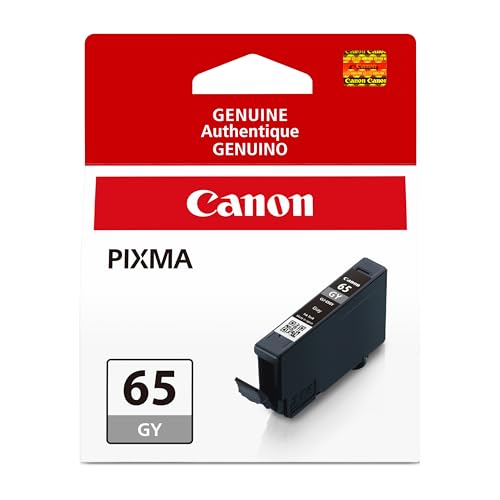
Canon CLI-65 GY and CLI-65 PC Ink (PRO-200, 2-Pack)
Canon CLI-65 PC and CLI-65 BK Ink (PRO-200, 2-Pack)
Canon CLI-65 PC and CLI-65 C Ink (PRO-200, 2-Pack)

HP 67XL Black and Tri-Color High-Yield 2-Pack
Canon CLI-65 C and CLI-65 PM Ink (PRO-200, 2-Pack)

Canon PFI-300 Genuine Cyan Ink Tank (PRO-300)
More On The Choices That Made The List
Your cyan tank runs dry first on almost every photo job, so the CLI-65 cyan refills the slot the PRO-200 relies on for accurate blues and clean skies. The cartridge is built for the PIXMA PRO-200 and PRO-200S specifically, meaning the nozzle profile and ink chemistry match the printhead without handshake issues.
For portrait and wedding shooters, this cartridge tends to be the one you stockpile, since every skin tone and wedding-dress white leans on clean cyan transitions. If you print mostly black-and-white fine art, the gray cartridge later in this list may serve you better, but for color work this is your baseline.
Features That Help
- Genuine Canon dye-based formula matched to the ChromaLife100+ system
- Clean cyan transitions reduce banding in sky and gradient areas
- Dedicated compatibility with PRO-200 and PRO-200S avoids driver guesswork
- Single-tank replacement keeps inventory simple
Things To Consider
- Cyan gets used faster than other colors in typical photo workflows, so budget for repeat orders
- Only fits PRO-200 series printers, limiting its usefulness across multi-printer studios
Quick Facts
Who It Suits Best
PRO-200 owners printing color photography who want a clean cyan reference for skies, water, and pastel gradients.
Look Elsewhere When
You run a MegaTank model instead, in which case the Canon GI-21 Magenta Ink Bottle fits the refill system on those machines.
Photo cyan is the often-overlooked sibling of regular cyan, and on the PRO-200 it earns its slot by smoothing transitions in skin tones and atmospheric haze. Where standard cyan can show a slight magenta cast in highlights, this variant pulls color toward a more neutral middle, which matters for portrait retouchers grading close-up faces.
If your library leans toward outdoor scenes with mist, snow, or pale blue gradients, this tank quietly improves the result. The earlier cyan tank covers broader use, but photo cyan is the specialist that rescues specific shots where regular cyan looks slightly muddy in the highlights.
Positive Points
- Tighter highlight control in pale blues and grays
- Smoother skin tone transitions in portrait retouching
- Works alongside the standard cyan for eight-color output on PRO-200
- Genuine Canon formula maintains print longevity on archival papers
Points To Keep In Mind
- Uses ink at a similar rate to standard cyan, so keep two spares if printing heavy portrait batches
- Redundant for users who never print skin tones or pale atmospheric shots
Made For
PRO-200 owners printing portraits, wedding albums, or fine art landscapes where subtle blue-neutral tones make the difference between flat and dimensional.
Skip It When
You only print document-style jobs, where the HP 67XL 2-Pack is the more practical match for an everyday home office.
Magenta is the unsung tank on most workflows because you forget it until reds go orange or skin tones look jaundiced. The CLI-65 magenta restores the warmth and depth that fade when the previous tank runs low, and it pairs naturally with the cyan tank reviewed earlier in this list.
For floral still-life work, food photography, and any subject with strong red elements, this cartridge quietly does the heavy lifting. The honest read is that you only notice magenta when it’s missing, so owners of PRO-200 printers tend to keep one in the drawer rather than scramble.
Useful Touches
- Restores red depth and saturation that fades as the previous magenta empties
- Compatible with PRO-200 and PRO-200S for plug-in replacement
- ChromaLife100+ chemistry aligns with the rest of the tank lineup
Worth Noting
- Red-heavy subjects drain this tank quickly, so plan reorder timing around your print volume
- Single-color replacement means you may want to bundle with photo magenta for wider gamut work
Best Suited To
PRO-200 shooters printing portraits, florals, or any subject with strong red and pink content where warm tones need to stay rich.
Consider Something Else When
You mostly print monochrome fine art, in which case the Canon CLI-65 GY and CLI-65 PC 2-Pack gives you the gray cartridge that matters more for that work.
MegaTank printers flip the ink model entirely. Instead of swapping cartridges, you pour from a bottle into a built-in reservoir, which suits anyone running school reports, batch flyers, or office document loads. This magenta bottle covers a long list of MegaTank models from the G1220 entry-level up through the G4280 workhorse.
For households or small offices printing hundreds of pages a month, the bottle format lowers cost per page dramatically compared to cartridge replacements. You trade the snap-in cartridge simplicity for bulk ink that lasts longer between refills, and the nozzle design on the bottle helps reduce spills during the pour.
Reasons It Performs
- Bottle format drops cost per page for heavy-print environments
- Wide MegaTank compatibility across nine listed models
- Specialized nozzle shape aims to reduce pour spills
- Genuine Canon dye-based magenta preserves the expected color quality
Small Caveats
- Won’t fit any cartridge-based PRO-200 or PRO-300 machine, so verify your model first
- Pouring ink takes a steadier hand than snapping in a cartridge
Spec Overview
Right Fit For
MegaTank owners printing heavy document loads who want low-cost, low-intervention refills rather than repeated cartridge swaps.
Swap It Out When
Your printer is a PRO-200 instead, where the Canon CLI-65 Magenta Ink Tank matches that cartridge-based system.
The two-pack of gray and photo cyan is the niche bundle for PRO-200 owners splitting time between black-and-white fine art and color work. Gray handles the neutral tones that matte monochrome prints need, while photo cyan smooths the highlight transitions in color images, which is something the earlier photo cyan tank already does on its own.
Buying them together trims packaging and gives you a spare photo cyan while the gray handles the more specialized role. For someone who prints mostly monochrome but mixes in occasional color, this bundle covers both without forcing two separate orders.
Well-Handled Touches
- Gray cartridge handles neutral monochrome without color casts
- Photo cyan inclusion supports smooth highlight gradients in color work
- Bundle format cuts per-cartridge packaging waste
Honest Caveats
- Gray gets used slowly in mixed workflows, so one bottle may sit in storage for months
- Only fits the PRO-200 line, so cross-shoppers with other printers can’t use these
Who Will Love This
PRO-200 owners alternating between black-and-white fine art prints and color photo work who want both specialized tanks on hand.
A Better Fit Elsewhere
You print mostly color, in which case the Canon CLI-65 C and CLI-65 PM 2-Pack covers cyan and photo magenta instead.
This pair bundles photo cyan with black, which makes sense as a starter set or as a top-up for two of the most-used tanks on the PRO-200. Black always empties fast regardless of subject, and photo cyan does its job across portraits and atmospheric landscapes.
The two cartridges are slim and light, so storing the spare takes almost no desk space. If you find yourself frequently running out of these two specific colors before the others, this bundle saves you from ordering them separately each time.
Points In Its Favor
- Black and photo cyan pair addresses the two tanks most likely to empty first
- Japanese-made cartridges aim for consistent output quality
- Slim cartridge design simplifies storage of the spare
Trade Offs
- Doesn’t cover magenta, so you still need a separate cartridge for warm-tone work
- Only fits the PRO-200 model, limiting cross-printer utility
Perfect Match For
New PRO-200 owners stocking a starter set or experienced users topping off the two tanks they drain fastest.
Reach For A Different Pick When
You print heavy warm-tone content, where the Canon CLI-65 C and CLI-65 PM 2-Pack pairs cyan with photo magenta instead.
Two cyan variants in one bundle sounds redundant until you remember the PRO-200 relies on both standard cyan and photo cyan for its eight-ink system. Buying them together keeps your cyan slots fully stocked without splitting the order across two listings.
If you print portrait retouching batches where skin tone gradients matter, both tanks empty at similar rates. Stocking them together means you won’t be stuck mid-project waiting on a single replacement to ship.
The Practical Payoff
- Both cyan variants in one order simplify restocking for PRO-200 portrait work
- Single shipping event instead of two separate deliveries
- Keeps the eight-ink system balanced across both cyan slots
Worth Bearing In Mind
- Only useful if you actually use both cyan variants regularly
- Doesn’t address the black tank that often runs out alongside cyan
Who Should Grab It
PRO-200 users printing portrait retouching batches who would otherwise order these two colors separately.
Where Another Pick Suits Better
You want a black spare included, in which case the Canon CLI-65 PC and CLI-65 BK 2-Pack adds the black tank to the photo cyan.
The HP 67XL pair flips the script entirely. Where the rest of this list targets photo printers, these cartridges serve the DeskJet and Envy home office machines that print schoolwork, shipping labels, and the occasional photo. The XL designation means higher ink volume per cartridge than the standard 67 series, stretching replacement intervals.
For families juggling homework, recipe printouts, and travel documents, this 2-Pack covers both black and tri-color needs in one purchase. The original HP engineering aims for consistent output quality across the listed compatible models.
Noteworthy Benefits
- High-yield XL capacity stretches the time between cartridge swaps
- Two-pack covers both black and color needs in one order
- Original HP ink targets consistent output with listed DeskJet and Envy models
Points To Note
- Tri-color is a single combined cartridge, so if one color empties you replace the whole unit
- Doesn’t fit any Canon PRO-series printer from the rest of this list
Key Product Details
Built With In Mind
Households running HP DeskJet or Envy printers for schoolwork, labels, and everyday documents who need both black and color covered.
Not Your Match When
Your printer is a Canon PRO-200, since the CLI-65 lineup covered earlier in this list matches that model instead.
Cyan and photo magenta are the vividness tanks for the PRO-200. Photo magenta pulls brighter, more saturated pinks and magentas than the standard magenta tank, which matters when you’re printing saturated flowers, fashion shots, or any subject that lives in the red-pink-purple range.
This bundle pairs standard cyan with photo magenta, giving you the cool and warm halves of the secondary color wheel in one order. For anyone whose work lives in vivid color rather than subtle pastels, this is the pair that gets the most use.
Bright Spots
- Photo magenta expands saturation in reds, pinks, and purples
- Standard cyan covers the blue and green range cleanly
- Combined packaging trims per-cartridge overhead
Some Limits To Know
- Photo magenta gets used quickly on fashion and flower printing, so reorder timing matters
- Won’t help with the black or gray tanks that also empty in mixed workflows
Whose Shelf It Belongs On
PRO-200 owners printing vivid fashion, florals, or product photography where strong pinks and magentas dominate.
Another Choice May Suit
You prioritize subtle skin tones over vivid colors, where the Canon CLI-65 GY and CLI-65 PC 2-Pack covers gray and photo cyan instead.
The PRO-300 uses pigment-based LUCIA PRO ink rather than the dye-based formula of the PRO-200, which is a meaningful shift for anyone printing fine art or gallery work. Pigment inks sit on top of the paper surface and resist fading longer, which is why serious photographers and printmakers move up to the PRO-300 in the first place.
This cyan tank targets that pigment workflow specifically, and it’s the first item on this list that doesn’t cross over to the PRO-200 covered earlier. For a photographer printing to sell or exhibit, this is the cartridge that matters.
Everyday Perks
- Pigment-based LUCIA PRO chemistry aimed at longer-lasting prints
Where It May Fall Short
- Won’t fit the PRO-200 covered earlier in this list, so it’s model-specific
- Pigment ink costs more per tank than the dye-based CLI-65 alternatives
Feature Snapshot
The Right Fit
PRO-300 owners printing fine art, gallery work, or archival photography who need the pigment ink chemistry that dye-based tanks can’t deliver.
Where A Sibling Pick Shines
Your printer is a PRO-200, where the Canon CLI-65 Genuine Cyan Ink Tank covered earlier is the matching dye-based cartridge for that model.
What To Weigh Before Choosing The Right Cartridge
Picking the right cartridge starts with printer model. Every cartridge on this list fits a specific Canon or HP line, and using a CLI-65 tank in a PRO-300 or a GI-21 bottle in a DeskJet simply won’t work. Confirm your exact printer model before anything else, because compatibility is the one rule that overrides every other consideration.
The second decision is ink chemistry. Dye-based inks, like the ChromaLife100+ system in the CLI-65 line, sit inside the paper surface and produce vibrant glossy prints, but they fade faster in direct sunlight. Pigment-based inks, like the LUCIA PRO system in the PFI-300, sit on top of the paper and resist fading far longer. For photo prints you want to keep for decades, pigment wins. For everyday color documents or short-term photo prints, dye is the more affordable route.
Third, consider format. Cartridges swap in seconds and suit lower-volume printers like the PRO-200. Bottles, like the GI-21 reviewed here, suit high-volume MegaTank printers where pouring ink into a reservoir is the daily norm. Mixing the two formats on the wrong printer creates frustration and waste.
Fourth, think about usage patterns. A wedding photographer needs every tank stocked and rotates through all ten colors. A home office user printing mostly documents needs only black and tri-color. Matching the cartridge bundle to your actual subject matter avoids over-buying tanks that sit unused.
Picking The Smart Cartridge Choice
Common Shopping Slip Ups
The biggest mistake is assuming any ink cartridge fits any printer from the same brand. Canon’s CLI-65 line, GI-21 bottles, and PFI-300 tanks each serve entirely different printer families, and the wrong cartridge simply won’t recognize the printhead. Verify your exact model number before ordering.
Another slip is buying the cheapest third-party refill to save money upfront, only to find clogged printheads a few months later. Genuine manufacturer inks aim for chemistry matched to the printhead, and the risk-to-reward calculation favors genuine cartridges for any printer you plan to keep running for years.
Why Top Tier Costs More
Premium cartridges cost more because they fund the engineering behind ink chemistry that resists fading, produces wider color gamuts, and matches printhead nozzles precisely. For a photographer selling prints or a business printing client-facing materials, the upgrade pays back in fewer reprints and longer-lasting results. For someone printing shipping labels and school worksheets, the standard cartridge is the right call and the premium isn’t worth it.
Frequently Asked Questions
How long do CLI-65 cartridges last in storage? Unopened cartridges typically hold their chemistry for a couple of years when stored at room temperature away from direct sunlight. Once installed, the printer tracks ink usage through the chip on the cartridge.
Can I mix genuine and third-party ink in the same printer? You can, but doing so means the printer treats them as separate systems and the colors may not blend as predictably as a matched set. Most users stick to one or the other across all tanks.
What’s the difference between cyan and photo cyan? Photo cyan sits closer to a neutral tone in the highlights, smoothing skin tones and atmospheric gradients. Standard cyan handles broader blues and skies with slightly more saturation in the mid-tones.
Do MegaTank bottles really save money? For high-volume printing, the cost per page drops significantly compared to cartridge replacements. The savings depend on how many pages you print monthly, and the break-even point typically arrives within a few months for moderate-to-heavy use.
Is pigment ink worth the higher cost? For archival prints, gallery work, or anything you want to display in bright light, yes. The fade resistance of pigment ink justifies the premium for serious photographers and printmakers, though casual users printing everyday photos won’t notice the difference.
Closing Thoughts
The right cartridge depends almost entirely on your printer model and what you print. PRO-200 owners live in the CLI-65 ecosystem and can mix single tanks and 2-Packs to match their workflow. PRO-300 users step up to the PFI-300 pigment line for archival quality. MegaTank owners pour from GI-21 bottles for bulk volume. HP home office printers run on the 67XL pair for everyday documents. Match your printer first, then match your subjects, and the rest falls into place.