A single laptop screen cramps almost every kind of workday, whether you’re chasing spreadsheets on a kitchen table or hosting a video review from a hotel desk. A second panel changes the rhythm: research stays open on one side, the document you’re editing stays front and center, and your sanity survives the meeting. The lineup below covers portable companions that ride in your bag alongside classic desktop panels that anchor a home office, so you can match the right display to the way you actually work.
An Overview Of The Picks

cocopar Portable Monitor 15.6″ 1080P FHD Travel Monitor with Cover Stand
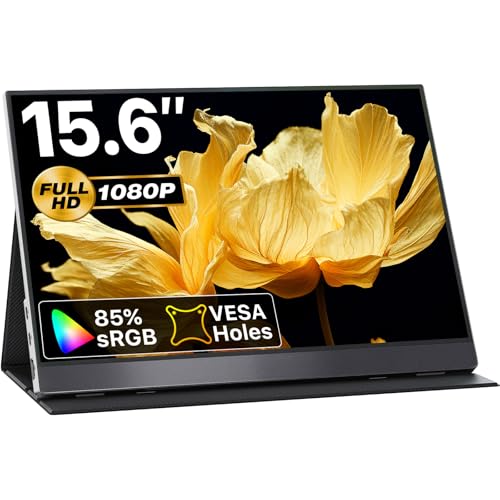
VisionOwl Portable Monitor 15.6″ 1080P FHD USB-C HDMI HDR Travel Monitor (Silver)

VisionOwl Portable Monitor 18.5″ IPS USB-C HDMI Travel Second Monitor

Upperizon Portable Monitor 18.5″ FHD 125% sRGB 100Hz IPS HDR Travel Monitor
Upperizon Portable Monitor 15.6″ FHD 85% sRGB 60Hz HDR Travel Monitor

Alienware 240Hz Gaming Monitor 24.5″ Full HD IPS AW2521HF (Dark Gray)

Blackview Laptop Screen Extender 14″ 1080P FHD IPS Triple Portable Monitor

AOC 14″ Laptop Screen Extender, Portable Monitor for 13″-17.3″ Laptops

Dell 27 Monitor SE2725HM FHD IPS 100Hz Eye Comfort Anti-Glare
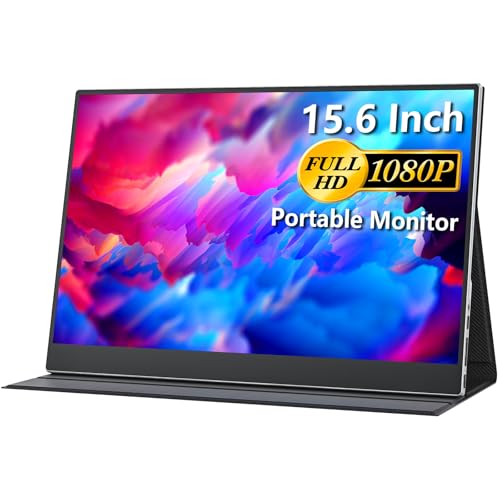
cocopar Portable Monitor 15.6″ 1080P FHD Travel Monitor with Full Cover Stand
The Details Behind The Selections
The cocopar 15.6-inch panel earns a spot on this list because it covers the basics most remote workers actually need, without piling on extras. The 1080P IPS screen delivers a wide 178-degree viewing angle, which helps when you shift positions at a coworking bench or share a view with a colleague beside you. With HDMI and two USB-C ports, it pairs easily with a MacBook, a Surface, or even a console for downtime, and the included cover folds into a stand to prop everything at a comfortable desk height.
This is the kind of second screen you toss in a backpack and forget about until the hotel Wi-Fi gets flaky. For commuters juggling spreadsheets, browser tabs, and video calls, that low-fuss setup pays off. Compare that to the VisionOwl option reviewed below, which leans toward richer color and HDR content, and you see the trade: the cocopar prioritizes portability and broad compatibility over a premium panel.
What Helps Most
- Plug-and-play USB-C hookup removes the need for extra drivers on most modern laptops.
- Built-in speakers cover quick calls and casual video without dragging out headphones.
- The folding cover doubles as a stand, which means fewer loose pieces rattling in your bag.
- VESA mountable for a permanent desk arm setup once you settle into a home office.
Things To Consider
- 85% sRGB is fine for documents and casual color work, though serious photo editors may want wider gamut.
- The 60Hz refresh rate is fine for productivity but lags behind the 100Hz panels reviewed later.
Key Specs
Who It Suits Best
Road-warrior remote workers who split time between home, cafés, and client sites need a lightweight second panel that travels without fuss.
Where Another Pick Suits Better
Color-focused designers should reach for the Upperizon 18.5-inch 100Hz panel reviewed below, which delivers wider gamut and a higher refresh rate.
VisionOwl’s 15.6-inch panel leans into versatility with HDR support and FreeSync, which is uncommon in the travel category. The silver finish reads as office-appropriate next to a MacBook, and the IPS panel promises a wide 178-degree viewing angle for impromptu presentations. USB-C and HDMI inputs give you flexibility to switch between a laptop, a phone, or a current-generation console without juggling adapters.
Where the cocopar above prioritizes simplicity, the VisionOwl pushes a slightly richer image for casual creative work. The honest read is that you won’t get professional color accuracy here, but for hybrid workers who split time between spreadsheets and weekend streaming, it feels like a sensible middle ground. The included cover stand keeps things tidy in transit.
A Few Strong Suits
- HDR support brings a touch more depth to video reviews and design mockups.
- FreeSync smooths out stutter when the panel is fed by a compatible AMD or console source.
- Wide viewing angle helps during collaborative sessions across a small table.
- Built-in speakers save desk space and handle quick calls with no extra hardware.
Worth Noting
- The 85% sRGB coverage means photo and video work still demands a calibration pass for accuracy.
- At 60Hz, scrolling on dense spreadsheets feels slightly less buttery than the 100Hz options later in the list.
Made For
Hybrid professionals who want a portable second screen that pulls double duty for casual creative review and streaming after hours.
Look Elsewhere When
Competitive gamers and motion-heavy workflows are better served by the Alienware 240Hz AW2521HF reviewed later, which targets speed over portability.
If you’ve ever squinted at a 15.6-inch travel panel and wished for a bit more breathing room, the VisionOwl 18.5-inch model answers that with extra inches of real estate. The IPS panel keeps colors consistent at the edges, and the built-in kickstand means you can prop it up on a tray table without hunting for a book to lean it against. At around 2.7 pounds, it stays in the realm of packable, though it’s a step up from slimmer 15.6-inch options.
Compared to the 15.6-inch VisionOwl reviewed just above, the larger size gives more room for two full documents side by side, which matters for anyone reviewing contracts or markup. The trade-off shows up in bulk: it occupies more backpack space and a bigger footprint on cramped desks. For users who regularly work from larger hotel desks or co-working booths, that’s usually a worthwhile exchange.
Well-Handled Touches
- The built-in kickstand deploys in seconds and skips the need for a separate cover.
- VESA compatibility means you can move it from desk to arm mount without adapters.
- USB-C and HDMI cover modern laptops plus current-gen consoles for downtime use.
- Speakers handle video calls adequately, freeing you from desk clutter.
- The 18.5-inch canvas fits two documents side by side for cross-referencing.
Trade Offs
- It’s heavier and bulkier than the 15.6-inch picks, so daily bag space matters more.
- Color coverage sits at a standard level rather than the wider gamut offered by the Upperizon 18.5-inch panel below.
Feature Snapshot
Right Fit For
Frequent travelers who mainly work from hotel desks and want genuine dual-document space without hauling a full desktop panel.
Not Your Match When
Color-critical designers should consider the Upperizon 18.5-inch 125% sRGB panel reviewed next, which targets richer color reproduction.
Upperizon’s 18.5-inch panel sits in a sweet spot between the travel-friendly 15.6-inch options and a full-sized desktop monitor. The standout detail is the 125% sRGB color coverage, paired with a 100Hz refresh rate and HDR support, which is unusually generous for a portable form factor. That combination makes this monitor genuinely useful for design reviews on the road, not just spreadsheets.
Where the VisionOwl 18.5-inch above settles for standard color coverage, the Upperizon leans toward more saturated, accurate output. The kickstand and VESA compatibility give you flexibility for permanent desk duty when you’re back at base. For most creators, the trade-off is simple: a slightly heavier carry, but a panel that holds its own against entry-level studio displays.
Notable Gains
- 125% sRGB brings richer color to design mockups and photo edits.
- 100Hz refresh keeps scrolling and timeline scrubbing noticeably smoother.
- HDR support improves contrast for video review work on the road.
- Built-in kickstand and VESA mount offer flexible placement options.
- Speakers are integrated, which simplifies transient setups.
Points To Note
- The 18.5-inch footprint takes up more room than a 15.6-inch option in a packed carry-on.
- You’ll want a USB-C cable that supports video out, or you may need the included HDMI adapter.
- Battery-free design means it draws power from the host device, which can drain laptops faster.
Best Suited To
Designers, video editors, and content reviewers who travel often and want a color-credible panel that fits in a carry bag.
Swap It Out When
Pure office document workers who care more about size and value than color gamut will find the Upperizon 15.6-inch below a more sensible match.
The Upperizon 15.6-inch sits squarely in the everyday workhorse category. Its 1920 x 1080 IPS screen covers 85% of the sRGB spectrum, supports HDR, and includes FreeSync at 60Hz, which is enough for office documents, web browsing, and the occasional YouTube break. The included cover folds into a stand, and built-in speakers keep your desk setup simple.
Compared to the Upperizon 18.5-inch reviewed just before, this one trims size and color coverage in favor of easier packing. The honest read is that for students and home office workers who mostly handle documents and browser windows, those trade-offs barely register. The 178-degree viewing angle is a quiet benefit during shared-screen sessions in study groups.
What Earns Its Place
- Cover-and-stand design protects the panel in transit and props it up on arrival.
- FreeSync support reduces stutter when streaming fast-moving video or light gaming.
- Low Blue Light mode eases long reading sessions for students and researchers.
- 3.5mm audio jack pairs with headphones for focused calls in shared spaces.
Honest Caveats
- 60Hz is fine for documents but trails the smoother 100Hz panels in this list.
- Standard sRGB means color-sensitive design tasks will need a wider-gamut display for accuracy.
Feature Rundown
Perfect Match For
Students and home office workers who need a simple second screen that travels between dorm rooms, kitchens, and library desks.
Skip It When
Designers and color-conscious editors should step up to the Upperizon 18.5-inch 125% sRGB panel reviewed above for richer color accuracy.
The Alienware AW2521HF is a different beast from everything else on this list: a 24.5-inch desktop monitor built around a 240Hz refresh rate and a 1ms GtG (gray-to-gray) response time. Fast IPS technology holds image clarity at wide angles, and the panel covers up to 99% of the sRGB spectrum, which gives it crossover appeal for color work after hours. AMD FreeSync Premium and NVIDIA G-SYNC compatibility keep visuals tear-free across both major GPU camps.
Where the portable picks above are about flexibility, this one is about speed. Power users running dense dashboards, scrolling timelines, or competitive sessions will feel the difference the moment the cursor moves. The unique cooling and venting design at the top, bottom, and rear helps keep the panel stable during long stretches of heavy use, though it does occupy a chunk of desk real estate that the travel options never could.
Useful Touches
- 240Hz refresh rate keeps scrolling and motion genuinely smooth for power workflows.
- 1ms GtG response time sharpens fast-moving visuals with minimal blur.
- 99% sRGB coverage supports photo and design tasks alongside fast-paced work.
- FreeSync Premium and G-SYNC compatibility span both major graphics ecosystems.
- Optimized ventilation helps the monitor stay cool under extended sessions.
Room For Improvement
- The 24.5-inch screen is smaller than most productivity-oriented desktop monitors.
- It’s a fixed-position panel, so it loses the portability that defines the earlier picks on this list.
Quick Facts
Whose Shelf It Belongs On
Power users who run dense dashboards, fast timelines, or competitive play at a permanent desk and want the snappiest motion clarity they can get.
A Better Fit Elsewhere
Anyone who works from multiple locations should stick with the cocopar or VisionOwl portables reviewed above for true travel-friendly setups.
The Blackview extender takes a different approach from every other pick on this list: it clips onto your laptop and adds two extra 1080P panels on either side, turning a single notebook into a triple-screen workstation. The galvanized steel shell with a matte finish aims at durability for travel, and the 90-degree adjustable stand keeps the whole assembly stable on a flat surface.
Where the VisionOwl and Upperizon panels reviewed above sit beside your laptop as one extra display, this one becomes the centerpiece. For analysts, traders, or anyone juggling multiple dashboards at once, the productivity jump is real. The trade-off is weight: at roughly 3 pounds plus the mounting hardware, it’s the heaviest option in this lineup, and you’ll want a roomier laptop bag to handle the bulk.
The Upside
- Adds two screens at once, instantly expanding any 13- to 17.3-inch laptop.
- Plug-and-play USB-C avoids driver installs across Windows, Mac, Android, and Switch.
- Steel shell resists scratches and fingerprints during daily transit.
- Adjustable stand lets you angle the side screens for shared viewing in meetings.
Softer Spots
- 14-inch side panels feel smaller than dedicated 15.6-inch portable monitors.
- It’s the heaviest pick here, so daily commuters will feel the extra weight in the shoulder.
Built With In Mind
Heavy multitaskers like analysts, editors, and coders who want three screens in a single kit without committing to a permanent desk setup.
Consider Something Else When
Travelers who prioritize lightweight carry over screen count should reach for the cocopar 15.6-inch reviewed earlier in this list.
AOC’s 14-inch extender is the trimmer sibling to the Blackview triple-screen kit. It attaches to a 13- to 17.3-inch laptop and adds a single extra 1080P IPS panel without the bulk of a dual-screen setup. For professionals who want one extra column for chat, dashboards, or reference docs, the lighter footprint is the main draw.
Compared to the Blackview above, the AOC drops the second side screen in favor of an easier carry, which matters if you’re hauling it through airports. It plugs in via USB-C and skips driver installs, so setup stays close to instant. The honest read is that the productivity bump isn’t as dramatic as a triple-screen rig, but the simplicity earns its place for travelers running tighter laptop kits.
Key Advantages
- Single-side extension keeps weight and bulk lower than dual-screen alternatives.
- USB-C plug-and-play covers Windows, Mac, Android, and Switch with no extra drivers.
- 14-inch IPS panel matches the proportions of most laptop screens for clean alignment.
Small Caveats
- Only adds one screen, so users running three or more dashboards may want the Blackview triple option above.
- The clamping design requires a stable laptop lid, which can feel awkward on super-thin notebooks.
The Right Fit
Frequent flyers and road-based professionals who want a single extra panel without adding much bulk to their laptop bag.
Another Choice May Suit
Analysts and power multitaskers running three or more windows at once should pick up the Blackview triple extender reviewed above instead.
The Dell SE2725HM is the only true desktop monitor in this roundup, and it leans into the role without apology. A 27-inch Full HD IPS panel paired with a 100Hz refresh rate gives everyday work a smoother feel than older 60Hz office screens. ComfortView Plus reduces harmful blue light exposure without dulling the colors, and the anti-glare coating helps in sunlit home offices.
Unlike the travel-ready picks reviewed earlier, this one is meant to stay put on a desk. With HDMI and VGA inputs, plus tilt adjustability, it slots into most office setups without adapters. For daily desk-based routines where eye comfort matters across long hours, the SE2725HM covers the basics with very few surprises.
Practical Pluses
- ComfortView Plus reduces blue light exposure during long work sessions.
- 100Hz refresh rate keeps scrolling smoother than typical 60Hz office panels.
- Anti-glare coating handles sunlit rooms better than glossy alternatives.
- HDMI and VGA inputs cover older docks and modern laptops alike.
Points To Keep In Mind
- The 250-nit brightness is comfortable indoors but dimmer in very bright sunlit spaces.
- It’s a fixed-position monitor with no VESA mount mentioned, so placement is limited to the included stand.
Feature Snapshot
Who Should Grab It
Home office workers running spreadsheets, browsers, and video calls all day from the same desk who want a single anchor panel.
Reach For A Different Pick When
Users who split time across locations will get more use out of the cocopar or VisionOwl portable panels reviewed earlier.
The second cocopar entry on this list earns its slot by adding a full-coverage folding stand, which protects the screen on both sides during travel. The 15.6-inch 1080P IPS panel covers 85% of the sRGB spectrum, supports USB-C and HDMI input, and includes built-in speakers for quick calls. The cover functions as a stable prop in either portrait or landscape orientation.
Compared to the original cocopar 15.6-inch reviewed at the top of this list, the difference shows up mostly in the stand design: the full cover wraps around the entire panel rather than folding behind it. For mobile workers hauling the panel between client sites, that extra protection is worth considering. The trade-off is a slightly thicker carry profile, but most backpacks swallow it without complaint.
The Value In It
- Full-cover stand wraps the panel for added scratch protection in transit.
- USB-C and HDMI inputs cover modern laptops, phones, and current-gen consoles.
- Built-in speakers handle calls without extra hardware cluttering the desk.
- VESA compatibility lets you mount it permanently once you settle into a desk.
Practical Considerations
- 60Hz refresh is fine for documents but trails the smoother 100Hz options reviewed above.
- The thicker cover adds a bit more bulk than a simple folding sleeve.
Who Will Love This
Mobile workers in transit-heavy roles, like field consultants and traveling trainers, who need durable, well-protected second screens.
A Better Fit Elsewhere
Color-critical designers should skip this in favor of the Upperizon 18.5-inch 125% sRGB panel reviewed earlier, which targets richer color work.
Factors To Consider When Choosing Screen Monitors For Work
Match The Panel To Your Daily Workspace
The first question to answer is where the monitor will spend most of its life. Remote workers bouncing between kitchen tables and coworking benches benefit from portable 15.6- or 18.5-inch panels that fit in a backpack alongside a laptop. Home-based office workers usually get more value from a 27-inch desktop panel like the Dell SE2725HM, which trades portability for screen real estate and a stand that doesn’t wobble when you type. If you split time between both, the deciding factor is whether you can live without a second panel on the days you travel light.
Resolution, Refresh Rate, And Why They Matter
Resolution determines how much fits on the screen at once. A 1920 x 1080 (Full HD) panel is the everyday standard for documents, browsers, and video calls, and matches the resolution on most laptops, so text doesn’t shift size when you drag windows between displays. Refresh rate, measured in hertz (Hz), controls how often the screen redraws each second. A 60Hz panel feels fine for typing and emails, while 100Hz and 240Hz options (like the Upperizon and Alienware picks above) make scrolling and cursor movement noticeably smoother for power workflows and dense timelines.
Connectivity And Cable Realities
Most modern monitors accept USB-C, which carries video, data, and power through a single cable and keeps your desk tidy. HDMI remains a reliable fallback for older laptops, docks, and gaming consoles. Before you commit, double-check that your laptop’s USB-C port carries a DisplayPort or video signal, since not every USB-C jack supports video out. Built-in speakers are a quiet perk for calls, but anyone serious about audio should plan for headphones or external speakers.
Eye Comfort And Long Workdays
A monitor you stare at for eight hours a day should prioritize low blue light output, anti-glare coating, and reasonable brightness. ComfortView Plus (on the Dell SE2725HM reviewed above) and similar low-blue-light modes reduce eye strain without significantly dulling colors. IPS panels maintain color consistency at wide angles, which helps when you share the screen during meetings or shift positions at your desk.
Key Considerations Across These Picks
Common Shopping Slip Ups
The most frequent mistake is buying on size alone. A 27-inch desktop panel sounds appealing until you realize you actually need something that fits in a laptop bag three days a week. Another common slip is ignoring cable compatibility, since some USB-C ports don’t carry video. Buyers also tend to underweight refresh rate, then wonder why their new monitor feels sluggish compared to the laptop beside it. Match the panel’s strengths to the work you’ll actually do, not the spec sheet that sounds best.
Where The Extra Money Goes
Stepping up to a higher-tier portable monitor usually buys you better color coverage, a higher refresh rate, or a more protective stand. For example, the jump from the Upperizon 15.6-inch at 85% sRGB to the Upperizon 18.5-inch at 125% sRGB delivers visibly richer color for design work. Premium desktop panels like the Alienware AW2521HF command more because of their 240Hz refresh rate and fast IPS response, which power users feel every time they scroll or play. Whether that upgrade pays off depends on whether your work actually stresses those specs.
Frequently Asked Questions
What Size Screen Monitor Works Best For A Home Office?
A 27-inch panel is the common sweet spot for dedicated home office setups, since it fits two documents side by side without crowding your desk. For travel, a 15.6-inch portable monitor matches most laptop screens and stays packable.
Do I Need A 100Hz Or 240Hz Monitor For Office Work?
Most office tasks feel smooth on a 60Hz panel, so you don’t strictly need a higher refresh rate. A 100Hz monitor helps if you scroll long documents or dense timelines daily, and 240Hz is geared more toward competitive gaming than typical productivity.
Is USB-C Better Than HDMI For A Second Screen?
USB-C is convenient because it carries video, data, and power through a single cable, which simplifies your desk. HDMI remains widely supported and works well when you don’t need to charge through the same cable. Either works for most productivity setups.
Can A Portable Monitor Replace A Desktop Display?
A portable monitor can handle daily productivity if your work is document-heavy and your desk has room for a stable stand. For long hours at a fixed desk, a dedicated 27-inch panel usually offers more comfort and screen real estate.
Are Built-In Speakers On Portable Monitors Any Good?
Built-in speakers are useful for quick calls and casual video, but they rarely match the depth of dedicated external speakers or headphones. Treat them as a convenience rather than a primary audio source.
The Takeaway
The right screen monitor for work is the one that fits your actual routine, not the spec sheet that looks flashiest. Commuters and hybrid workers get the most from portable panels like the cocopar or VisionOwl options, while desk-based professionals usually prefer the comfort of a 27-inch display. Match the panel to the way you work, and the second screen pays for itself in calmer, faster days.