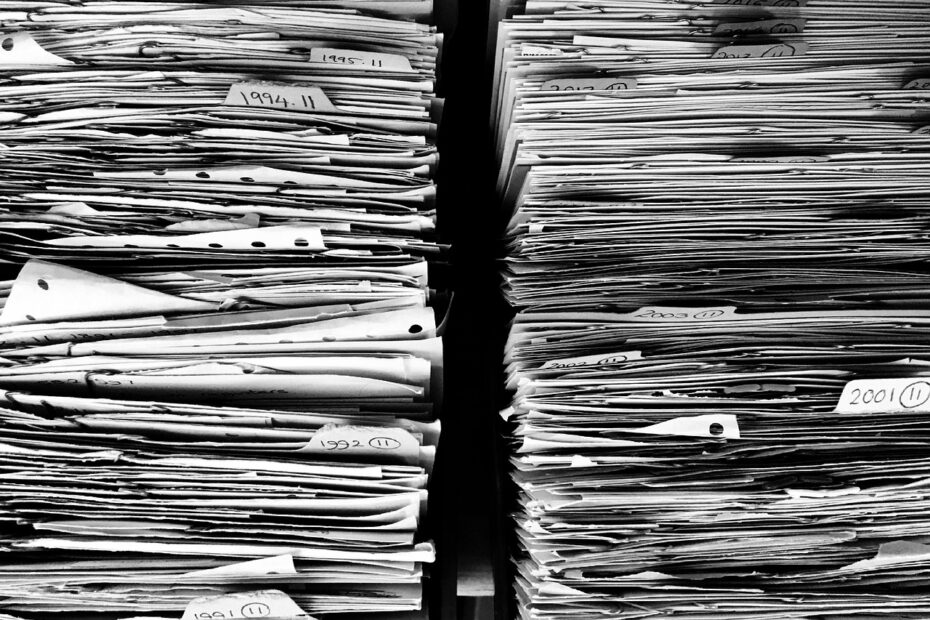
A single employee file may exist as paper in a cabinet or as electronic documents on devices, servers, and cloud storage. Your choice shapes retrieval time, workspace, sharing, security controls, recovery planning, and the way your records hold up during disruption.
This comparison helps you sort household paperwork, business files, retained originals, and shared records around your daily work and risk level.
Paper and Electronic Records Store the Same Information Differently
A manila folder and a searchable PDF might hold the same invoice, yet each record behaves differently after filing. A physical filing system stores paper through manual classification in folders, drawers, cabinets, boxes, or storage rooms. You locate a document through its label, category, and physical location.
A digital filing system stores electronic records on a computer, local server, cloud storage account, or electronic document management system (EDMS). Your files might include PDFs, spreadsheets, emails, images, word-processing documents, audio recordings, and database entries. Microsoft OneDrive, Google Drive, Dropbox, and SharePoint are familiar storage environments, while an EDMS adds records controls such as indexing and audit trails.
A locked cabinet holding your signed lease is physical filing. A PDF invoice saved as 2025-04_Acme_Invoice-1842.pdf is electronic filing. A hybrid filing system appears where you use a scanned I-9 or agreement for daily reference while retaining the required original in restricted storage.
Daily Work Changes With Storage, Retrieval, and Sharing
Cabinet space becomes a visible constraint long before a filing room feels full. Four-drawer cabinets occupy floor area, while off-site boxes add handling time and transport charges for each retrieval request. Your electronic setup shifts much of that burden to devices, servers, scanning equipment, or cloud-storage capacity.
Search depends on naming and indexing rules
A well-labeled contract can appear in seconds through file naming conventions, folder hierarchies, document indexing, metadata, optical character recognition, and full-text search. OCR turns scanned typewritten text into searchable content. You could locate a contract clause without opening 40 separate files.
That speed disappears in a shared drive full of vague labels. Names such as “scan003” and five folders called “New” turn electronic storage into a virtual junk drawer. Your records stay findable only where every file follows the same naming, indexing, and ownership rules.
Shared access changes how staff work
Paper files stay where the cabinet stands, and sharing requires a copied packet, printer, scanner, or courier. Electronic records let permitted staff view the same current version from separate locations. You avoid the familiar delay of a folder sitting on one desk while another staff member needs it.
Match remote-access settings to record sensitivity. Your payroll folder needs tighter access control and permissions than a public event flyer, even where both sit in the same cloud account.
Physical and Digital Filing Systems Have Different Trade-Offs
Retrieval speed is only part of the difference between physical and digital filing systems. Paper and electronic records also differ in growth limits, disaster exposure, collaboration, and recovery work. Your controls, rather than the format alone, decide whether records remain orderly over several years.
| Factor | Your paper records | Your electronic records |
|---|---|---|
| Storage | Your records occupy cabinets, shelves, boxes, or rented storage space. | Your records use devices, servers, or cloud-storage capacity. |
| Retrieval | You rely on labels, categories, and manual sorting. | You rely on file names, metadata, OCR, and text indexing. |
| Sharing | Your team needs the original folder or a copied packet. | Your permitted staff can view one current file from approved locations. |
| Growth | Your growing volume requires more furniture, space, and filing labor. | Your growing volume requires more storage capacity and administration. |
| Security | Your protection rests on locks, keys, controlled rooms, and handling rules. | Your protection rests on permissions, encryption, passwords, and login controls. |
| Disaster exposure | Your originals face fire, water, pests, theft, and physical loss. | Your files face deletion, corruption, outages, account failures, and ransomware. |
| Resources | Your workflow uses paper, toner, shipping, storage space, and disposal resources. | Your workflow uses electricity, hardware, network services, and data-center resources. |
For a household collection of 30 records, clearly labeled folders might fit your routine. A five-person office gains speed from searchable shared files, while a distributed team needs electronic access or a hybrid arrangement. Your actual workflow should guide the choice rather than a fashionable format.
Costs Extend Beyond Cabinets and Storage Accounts
A cabinet is only the visible expense in paper filing. Printing, toner, folders, labels, floor space, courier service, off-site storage, filing labor, and slow retrieval all add to your total cost. You also lose staff time each time a misfiled document sends someone through several drawers or boxes.
Paper remains practical for low record volumes and documents requiring an original signature or seal. But a coffee spill, burst pipe, or missing folder can remove your only copy. Your paper process needs inventories, secure duplicate storage, and handling rules that reduce a single-point loss.
Electronic costs move toward setup and upkeep
Subscriptions are not your entire electronic cost. Scanners, software, cloud capacity, setup work, migration labor, staff training, maintenance, and disaster-recovery planning belong in your budget. A document management system can reduce repeat work, though your files still require clear ownership and administration.
- Search and sharing: Your team can locate indexed files quickly and send controlled links rather than duplicate attachments.
- Scanning errors: Your archive can lose pages, crop signatures, or hold unreadable text without a quality check.
- Version confusion: Your staff can edit separate copies unless one current and authoritative version is clearly marked.
- Service dependence: Your work can pause during outages, account lockouts, corruption, or service disruption.
- Archive growth: Your expanding file collection needs storage and retention rules before it becomes costly clutter.
Convenience comes from a consistent routine rather than format alone. Your manual vs electronic filing system choice becomes expensive where staff skip classification, whether paper sits on a desk or files land in random folders.
Poor classification weakens access controls too, because staff cannot reliably distinguish sensitive records from routine files.
Security Relies on Controls Rather Than Format
A locked room does not shield paper from floodwater, fire, pests, or a visitor who spots an open drawer. Paper also carries quiet misfiling risk, where your document still exists but remains impossible to locate. You need key control, visitor limits, inventory logs, fire-resistant cabinets, and secure shredding for sensitive hard copies.
Electronic records face weak passwords, phishing, excessive permissions, ransomware, accidental deletion, and file corruption. Encryption shields stored content and data moving between systems. Your password alone is not enough for payroll, healthcare, legal, or similarly sensitive records.
Layered controls reduce single failures
- Role-based permissions: Give staff access only to records required for their duties.
- Multi-factor authentication: Require a password plus a separate verification method for your account.
- Audit trails: Record who viewed, changed, moved, or deleted each document.
- Version history: Retain prior versions so your team can recover from an unwanted edit or deletion.
- Separate backups: Keep your recovery copy apart from the location holding working files.
- Recovery drills: Restore a sample folder on a regular schedule so your backup remains usable.
The safest place for your digital files is an access-controlled storage environment with encryption, multi-factor authentication, redundant data backup, and a documented recovery process. A single laptop or USB drive gives you storage, but not a resilient archive. HIPAA-covered records also require safeguards suited to their regulated use.
Beyond limiting access, a usable archive must preserve context, retrieval paths, and recoverability over time.
Electronic Records Need Structure Before More Folders
Clear file names make a growing archive easier to retrieve. A format such as Invoice_Acme_2025-04-18_v01.pdf identifies the record type, subject, date, and version without exposing account numbers or medical details. You spend less time guessing which file contains the current record.
Keep your folder hierarchy limited to stable functions such as Finance, Human Resources, Contracts, and Operations. Metadata or tags can carry a project, client, retention category, and status without duplicate copies. Your shared drive stays clearer where each record has one designated home.
Scanning works best as a controlled sequence
- Inventory holdings: List your record categories, locations, owners, and active or inactive material.
- Set priorities: Move active, high-value, and disaster-sensitive records before older reference material.
- Scan complete records: Capture pages at readable quality, including backs, attachments, and handwritten notes.
- Check each batch: Compare scans with paper for legibility, completeness, and correct orientation.
- Index every file: Add the file name, tags, owner, and retention category before filing each image.
- Store backup copies: Place completed records in backup storage and document the recovery steps.
Assign an owner to each record series, set version rules, and write a records retention policy for paper and electronic material. ISO 15489 describes accountable records practices, though your legal duties vary by jurisdiction, industry, document type, contract terms, and legal advice.
Hybrid Filing Retains Required Originals While Supporting Daily Work
A scanned signature helps with daily reference, yet it does not always replace the paper record that created it. Certain signed agreements, notarized documents, negotiable instruments, regulated records, and legal-hold material can require original-paper retention. You should verify those duties through applicable law, contract terms, industry rules, and legal advice.
Healthcare offices and law firms show why hybrid filing can fit your work. Scan incoming paper, check every page, assign a retention category, and place the electronic copy in the active workflow. Your retained original then stays in restricted storage rather than moving around the office.
Mark the relationship between paper and electronic versions in your index. Your record should list the original location, authoritative copy, retention period, and destruction authorization. That detail stops a scan from being treated as disposable while the paper original is destroyed by mistake.
A scanned document does not automatically become your authoritative record. Keep that designation in your records policy rather than relying on staff memory.
Choosing the Filing Model for Your Work
Your document types and daily work habits point toward a workable model. Paper suits low-volume records used in one location and material that must remain original. Electronic filing suits high-volume work requiring search, sharing, and remote access, while mixed requirements point toward a hybrid arrangement.
| Your work condition | Fitting model | Reason |
|---|---|---|
| Your records stay local and limited | Physical filing | Your folders can stay simple, controlled, and close at hand. |
| Your team works across several locations | Electronic filing | Your staff need controlled remote viewing and shared current versions. |
| Your originals carry legal weight | Hybrid filing | Your paper originals stay restricted while scans support daily work. |
| Your retention period spans several years | Electronic or hybrid filing | Your indexed archive reduces cabinet growth and retrieval delays over time. |
The best filing system for your paperwork lets permitted staff find the current record quickly while meeting security, retention, and original-document duties. Start with one record category, name its authoritative format, document its retention rule, and ask a staff member to retrieve it through the intended process.
Final Takeaways
Paper records and electronic files address the same recordkeeping need but introduce different risks and routines. Your strongest arrangement is not always the most paperless or traditional. It is the setup where your records have a clear owner, known location, controlled access, retention rule, and recovery path after a disruption.
FAQ
What is a physical filing system?
Labeled folders, drawers, cabinets, boxes, and storage rooms provide an organized home for paper records. Your retrieval process depends on labels, categories, location records, and careful manual filing. A locked cabinet containing a signed lease is one physical-file example.
What is a digital filing system?
Electronic records kept on devices, servers, cloud storage, or an EDMS form an organized digital repository. Your files can include PDFs, emails, spreadsheets, images, audio recordings, and database entries, indexed through names, folders, metadata, or search tools.
What are the main differences between physical and digital filing systems?
Storage medium determines how records are controlled, accessed, protected, and maintained over time. Paper relies on cabinets, labels, locks, and manual retrieval. Electronic records rely on file names, indexing, permissions, backups, and network access for retrieval and sharing.
Which filing system is more secure for sensitive documents?
Neither format is automatically safer for sensitive documents. Your paper records need restricted rooms, key control, inventory logs, and fire protection. Your electronic records need strong passwords, multi-factor authentication, limited permissions, encryption, audit trails, and separate backups.
Is a digital filing system cheaper than paper filing over time?
Electronic filing can reduce cabinet space, printing, courier work, and retrieval time, but setup and upkeep carry their own costs. Your budget should include scanners, software, cloud-storage fees, migration labor, training, administration, data backup, and recovery planning alongside paper-storage expenses.
What filing system works well for paperwork?
A lockable cabinet, a shared scan folder, or both can work when they match record volume, access needs, sensitivity, retention duties, and original-document rules. You can use labeled physical folders for small local collections, searchable electronic storage for active shared work, and hybrid filing where paper originals still carry legal value.